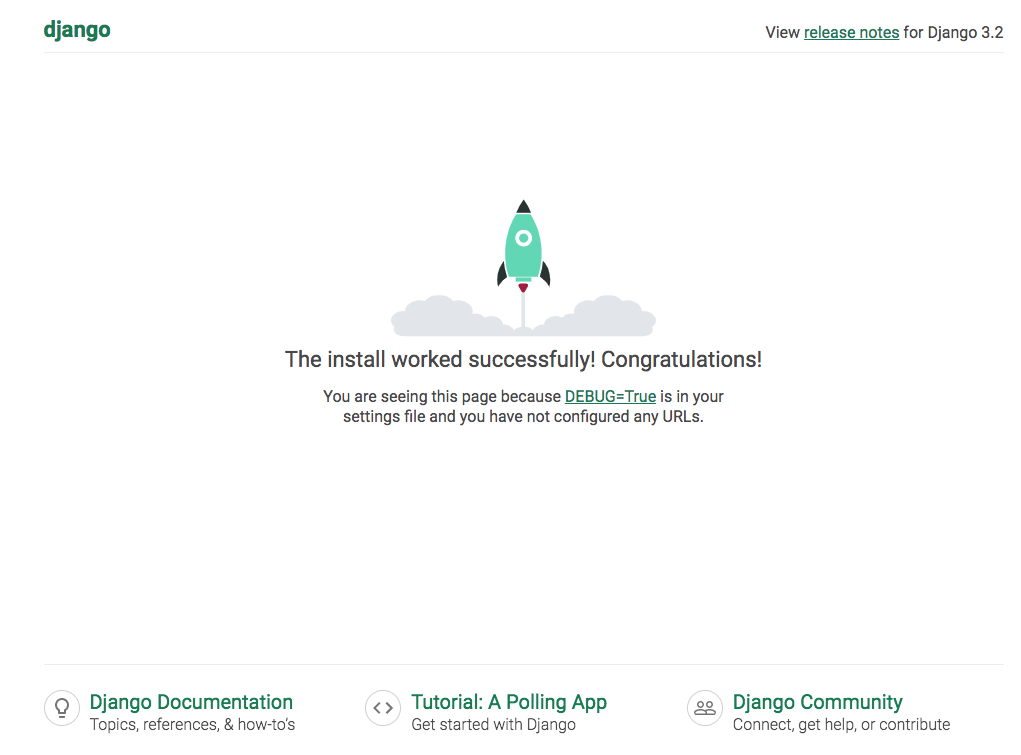
$ docker-compose up Starting django_db_1 ... done Starting django_web_1 ... done Attaching to django_db_1, django_web_1 (中略) web_1 | Watching for file changes with StatReloader web_1 | Performing system checks... web_1 | web_1 | System check identified no issues (0 silenced). web_1 | web_1 | You have 18 unapplied migration(s). Your project may not work properly until you apply the migrations for app(s): admin, auth, contenttypes, sessions. web_1 | Run 'python manage.py migrate' to apply them. web_1 | June 24, 2021 - 12:27:25 web_1 | Django version 3.2.4, using settings 'composeexample.settings' web_1 | Starting development server at http://0.0.0.0:8000/ web_1 | Quit the server with CONTROL-C.
web_1 | You have 18 unapplied migration(s). Your project may not work properly until you apply the migrations for app(s): admin, auth, contenttypes, sessions. web_1 | Run 'python manage.py migrate' to apply them.
$ docker-compose run --rm web python manage.py migrate Starting django_db_1 ... done Creating django_web_run ... done Operations to perform: Apply all migrations: admin, auth, contenttypes, sessions Running migrations: Applying contenttypes.0001_initial... OK Applying auth.0001_initial... OK Applying admin.0001_initial... OK Applying admin.0002_logentry_remove_auto_add... OK Applying admin.0003_logentry_add_action_flag_choices... OK Applying contenttypes.0002_remove_content_type_name... OK Applying auth.0002_alter_permission_name_max_length... OK Applying auth.0003_alter_user_email_max_length... OK Applying auth.0004_alter_user_username_opts... OK Applying auth.0005_alter_user_last_login_null... OK Applying auth.0006_require_contenttypes_0002... OK Applying auth.0007_alter_validators_add_error_messages... OK Applying auth.0008_alter_user_username_max_length... OK Applying auth.0009_alter_user_last_name_max_length... OK Applying auth.0010_alter_group_name_max_length... OK Applying auth.0011_update_proxy_permissions... OK Applying auth.0012_alter_user_first_name_max_length... OK Applying sessions.0001_initial... OK
マイグレーションが完了しました。
docker-compose upしたときのメッセージも確認します
1 2 3 4 5 6 7 8
web_1 | Watching for file changes with StatReloader web_1 | Performing system checks... web_1 | web_1 | System check identified no issues (0 silenced). web_1 | June 24, 2021 - 12:59:28 web_1 | Django version 3.2.4, using settings 'composeexample.settings' web_1 | Starting development server at http://0.0.0.0:8000/ web_1 | Quit the server with CONTROL-C.
python-build: use readline from homebrew Downloading Python-3.9.5.tar.xz... -> https://www.python.org/ftp/python/3.9.5/Python-3.9.5.tar.xz Installing Python-3.9.5... python-build: use readline from homebrew Installed Python-3.9.5 to /Users/user/.anyenv/envs/pyenv/versions/3.9.5
# If your ~/.profile sources ~/.bashrc, # the lines need to be inserted before the part # that does that. See the README for another option.
# If you have ~/.bash_profile, make sure that it # also executes the above lines -- e.g. by # copying them there or by sourcing ~/.profile
# Load pyenv into the shell by adding # the following to ~/.bashrc:
eval "$(pyenv init -)"
# Make sure to restart your entire logon session # for changes to profile files to take effect.
anyenvを利用しているためPATHが少し違いますので注意が必要です。
動作確認
早速動作確認をしてみます
1 2 3 4 5 6 7
$ python
Python 3.7.9 (default, Nov 16 2020, 18:18:20)
[Clang 10.0.0 (clang-1000.10.44.4)] on darwin
Type "help", "copyright", "credits" or "license" for more information.
>>> exit
Use exit() or Ctrl-D (i.e. EOF) to exit
>>> $
$ ls -a
.		..
$ pyenv local 3.9.5
$ ls -a
.		..		.python-version
$ python
Python 3.9.5 (default, Jun  8 2021, 23:01:54)
[Clang 10.0.0 (clang-1000.10.44.4)] on darwin
Type "help", "copyright", "credits" or "license" for more information.
>>>
src/Rect.js
  Line 12:5:   'this' is not allowed before 'super()'  no-this-before-super
  Line 13:5:   'this' is not allowed before 'super()'  no-this-before-super
  Line 14:5:   'this' is not allowed before 'super()'  no-this-before-super
  Line 15:5:   'this' is not allowed before 'super()'  no-this-before-super
  Line 16:5:   'this' is not allowed before 'super()'  no-this-before-super
  Line 17:5:   'this' is not allowed before 'super()'  no-this-before-super
  Line 18:5:   'this' is not allowed before 'super()'  no-this-before-super
  Line 19:24:  'this' is not allowed before 'super()'  no-this-before-super
  Line 21:13:  'this' is not allowed before 'super()'  no-this-before-super
  Line 22:12:  'this' is not allowed before 'super()'  no-this-before-super
  Line 23:14:  'this' is not allowed before 'super()'  no-this-before-super
  Line 24:15:  'this' is not allowed before 'super()'  no-this-before-super
  Line 25:21:  'this' is not allowed before 'super()'  no-this-before-super